March 2025
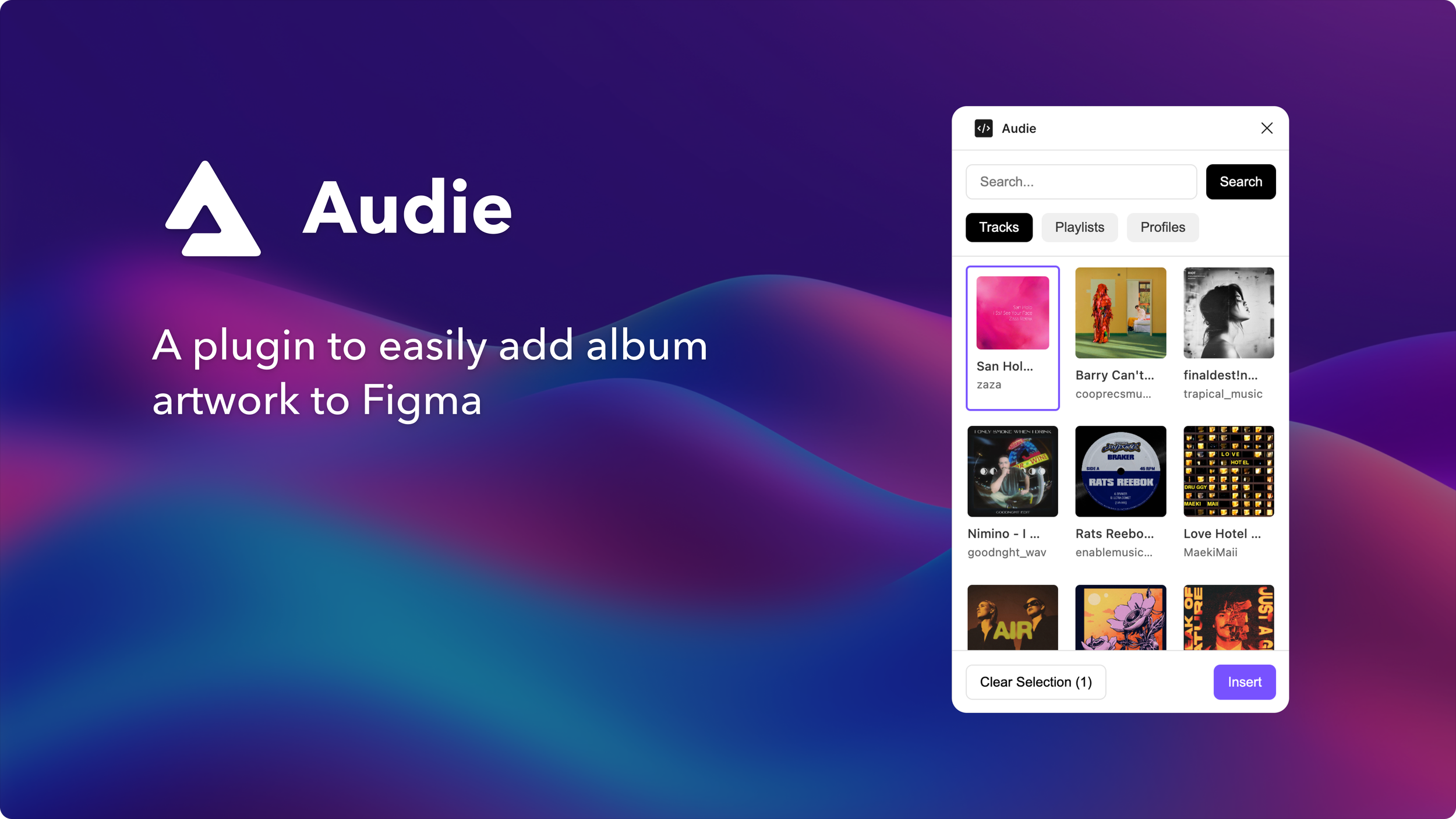
Audie: Figma Plugin
Building my own design tool in Cursor
Introduction & Motivation
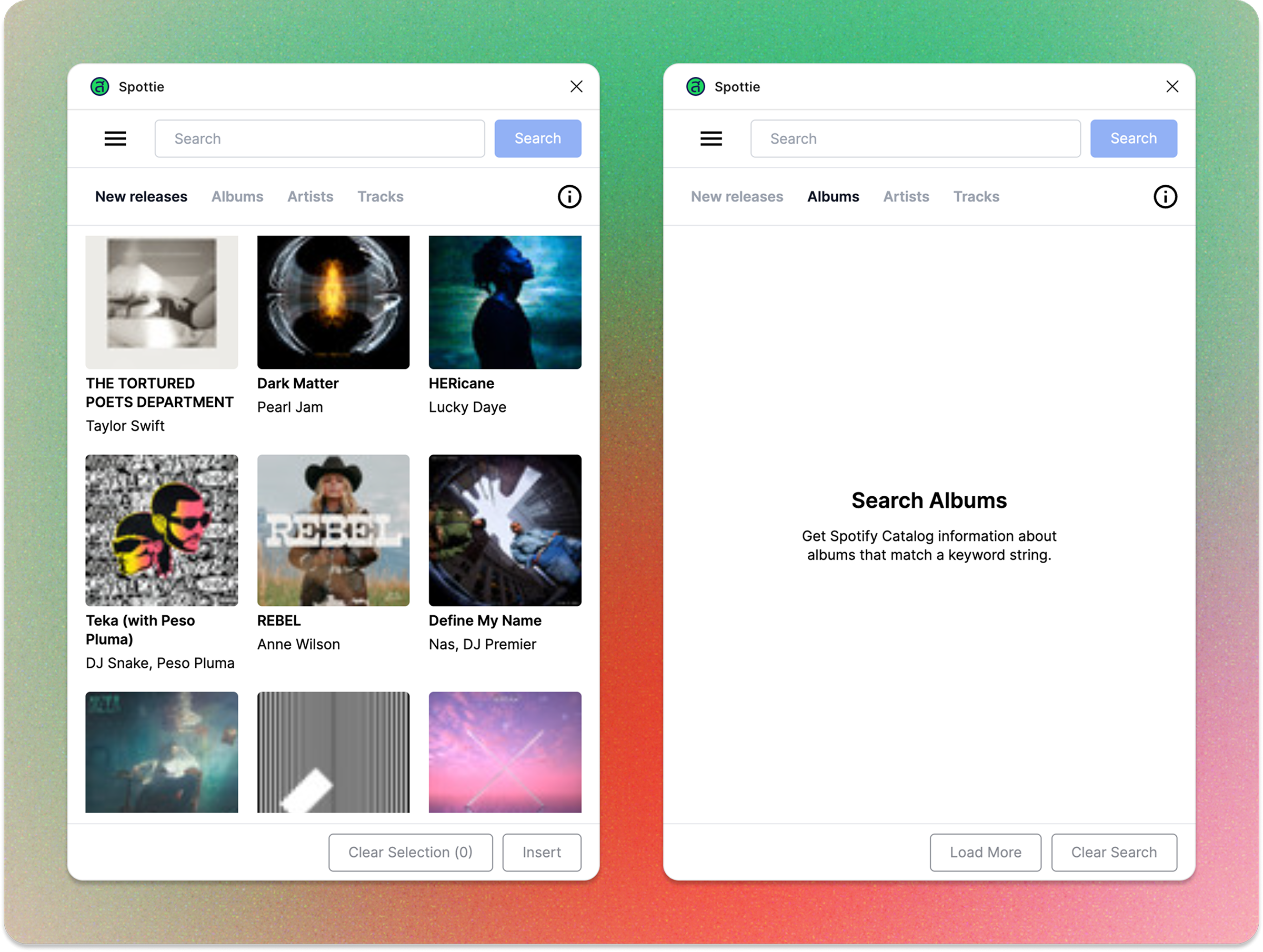
As a designer at Audius, I often needed to populate my Figma mocks with music artwork (track or album covers, artist photos, playlist thumbnails, etc) to bring my designs to life. Initially, I relied on third-party plugins like Spottie, which pulled artwork from Spotify, or if I wanted to mock real data, I would have to screenshot the artwork on Audius and paste it manually into my design.
But over time, this workflow became limiting:
Manually adding artwork to my designs was a major waste of my time.
The Spottie plugin was outdated (Tortured Poet? New Release? No.), surfacing the same stale results with little variety.
Spottie required a search term to generate results, but I often wanted a broad selection of fresh, artwork without having to specify a query.
Genre queries return irrelevant results (Album with “Pop” in the title).
Spotify doesn’t reflect the community of undiscovered talent on Audius.
“Manually adding artwork to my designs was a major waste of my time.”
These pain points led me to realize we have our own Audius API brimming with real-time, dynamic content. I wanted to create a tool that leveraged the Audius API directly in Figma, enabling designers like myself to:
Quickly apply music artwork to multiple frames at once
Access ever-changing trending content to keep designs feeling new
Optionally search for specific artists or tracks, but without being forced to.
So using the power of Cursor, I built a Figma plugin designed to streamline my workflow while showcasing the vibrant Audius community in my Figma designs.
Building with Cursor
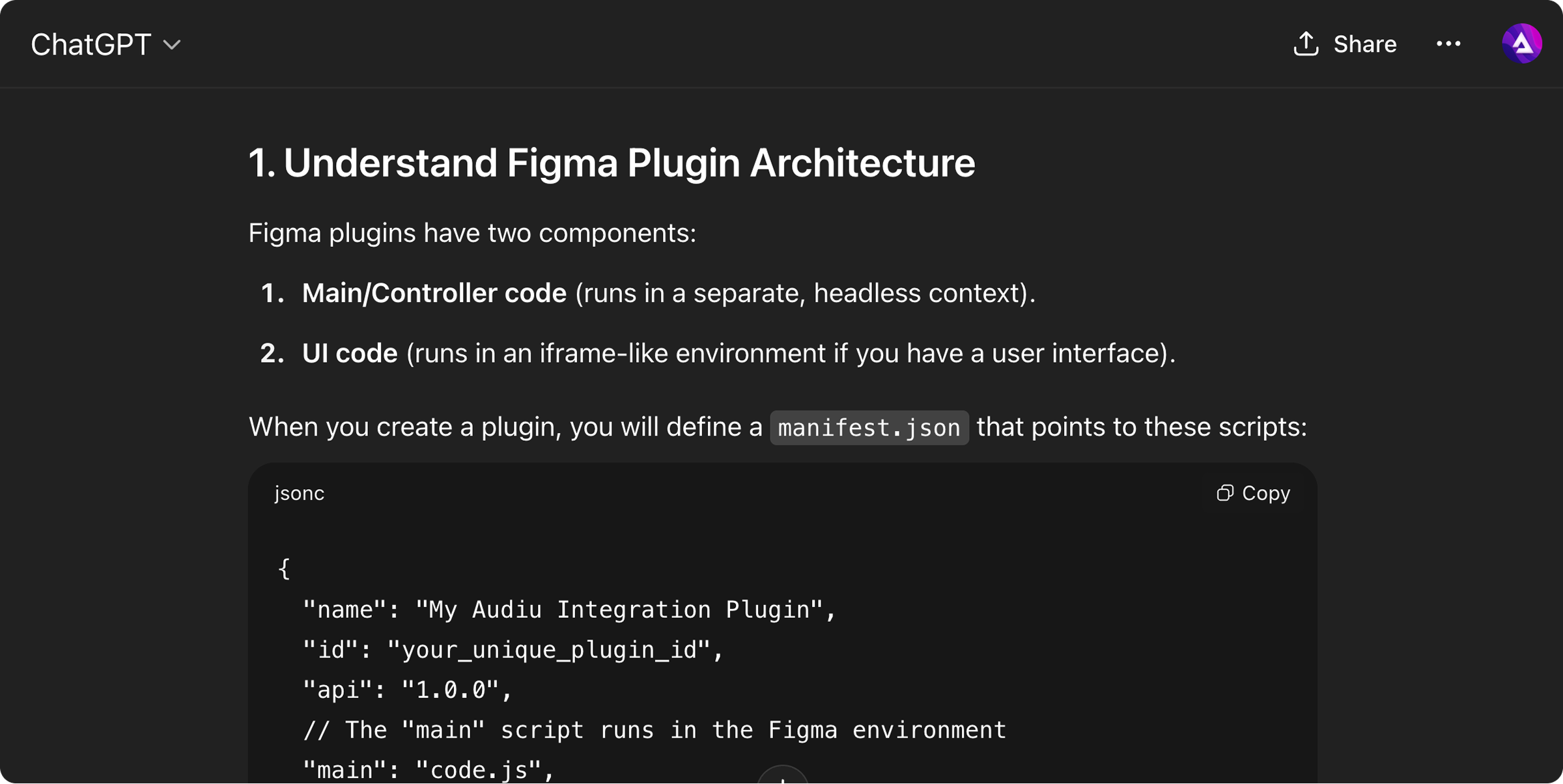
I started by creating a prompt using ChatGPT that clearly outlined what I aimed to build in Cursor. I made sure to instruct them to keep the files organized to maintain context as I developed each feature.
In Cursor, I began by building the front-end and UI components. I used a screenshot of the Spottie app as a base and made tweaks to get the look and feel I wanted. Once I had a working plugin with mock data, I connected the Audius API.
Frontend
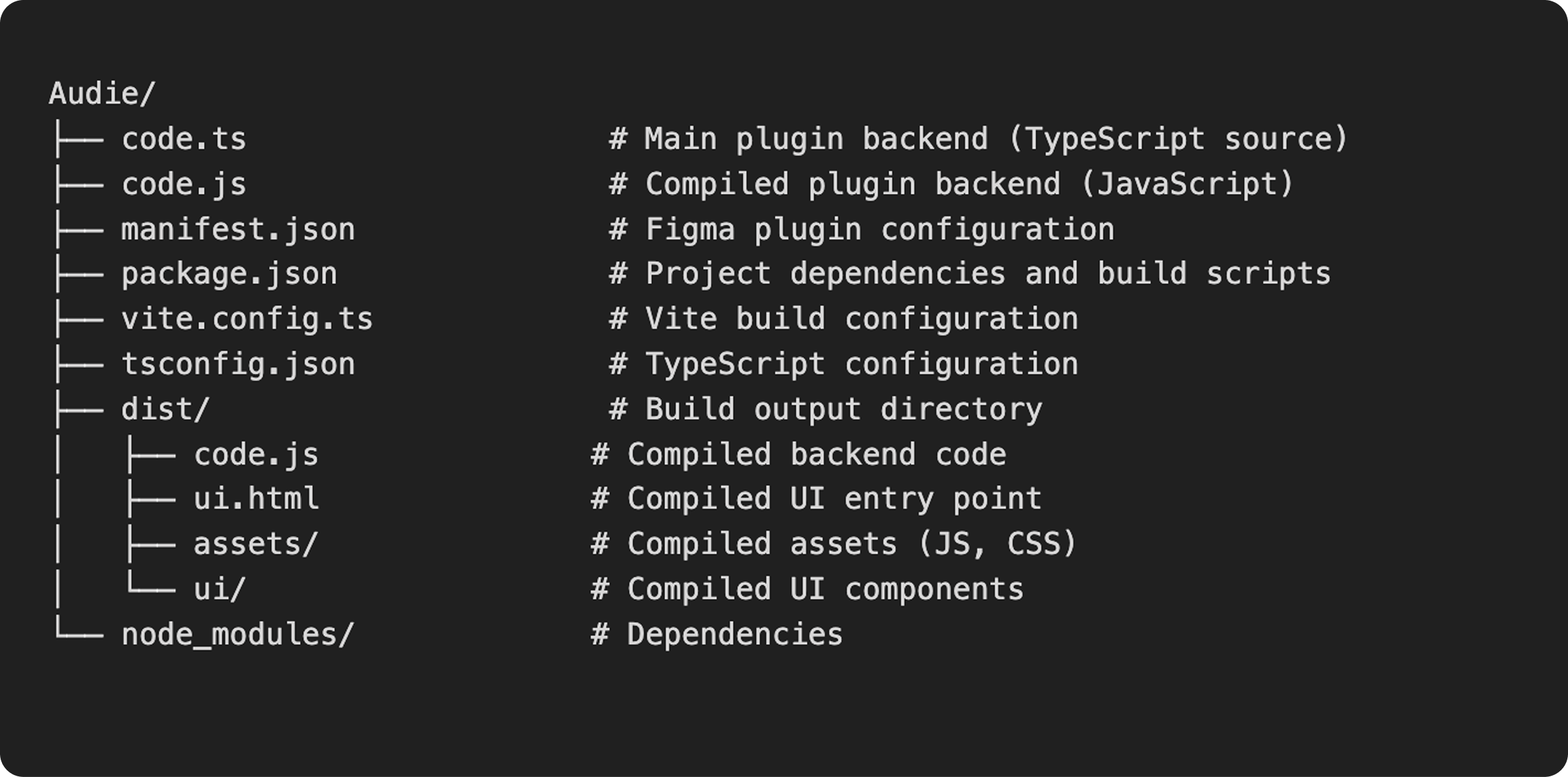
The frontend consists of the main components and uses a modern React-based UI with TypeScript.
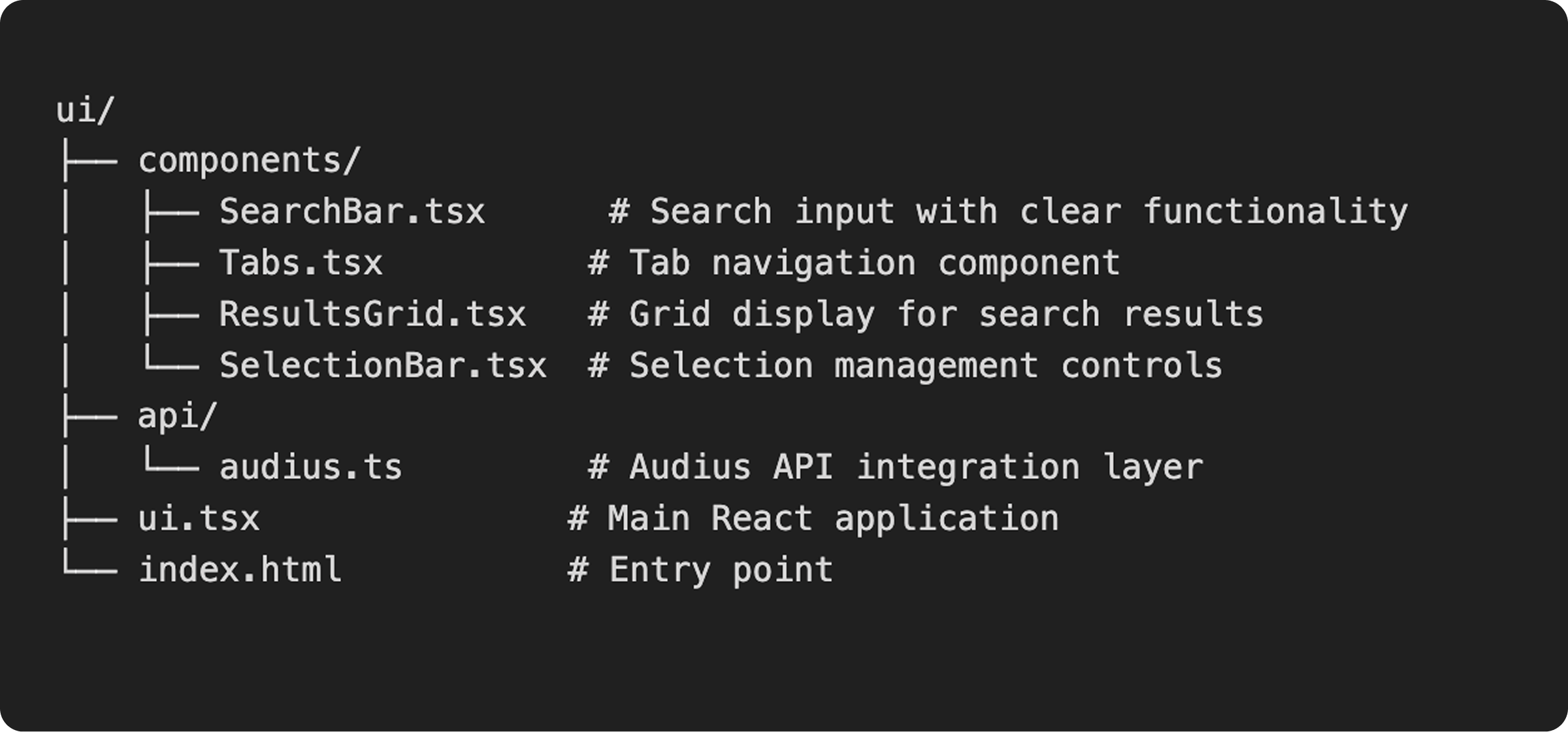
Backend Architecture / Root Directory
The backend is built with Node.js and Figma’s Plugin API which handles:
API Calls to Audius
Image caching & batch processing for optimized performance
Messaging between UI and Figma canvas
Challenges
Audius API Reliability: The Audius network can be pretty unreliable. There are multiple node operators, and some are more dependable than others. To address this, I set up a reliable system that uses several backup hosts via the Audius API's discovery nodes. This ensures the plugin runs smoothly despite the decentralized nature of the network. The system automatically retries, performs health checks, and switches to a backup when needed.
Issues with Image Performance & Caching: Trying to fetch and process multiple high-resolution images was slow and resource-intensive, so I implemented an image caching and batch processing:
Image Cache: Stores processed images in local memory to avoid re-fetching
Batch Processing: Processes images in batches of 5 to balance speed and resources
Lazy Loading: Only fetches images when needed
Error Recovery: Continues processing even if individual images fail
Network Access & Content Delivery: Upon deployment, the plugin encountered critical network access issues when trying to load Audius content images. Figma's security model requires explicit domain whitelisting, but Audius uses a decentralized network with hundreds of dynamic content nodes across multiple providers (cultur3stake.com, figment.io, theblueprint.xyz, etc.). This created a scalability nightmare - adding every possible domain to the manifest would be unmaintainable and break whenever Audius added new content nodes.
Initial Attempts
Tried using a proxy serve, but it wouldn’t store images
Tried adding individual domains to `manifest.json` allowedDomains, but resulted in 50+ domain entries and still failed when new nodes appeared
Performance degraded as the plugin tried to access multiple scattered endpoints
Console filled with network access errors, creating poor user experience
Solution
Implemented comprehensive domain whitelisting strategy with healthy discovery node validation:
Healthy Node Discovery: Used Audius’ NEW Bridge API to identify and validate reliable discovery nodes
Strategic Domain Whitelisting: Added only proven, stable Audius content domains to `manifest.json`
Direct Content Access: Eliminated proxy dependencies by accessing content nodes directly
Performance Optimization: Reduced latency by removing proxy layer and accessing content directly
Maintainable Architecture: Focused on quality over quantity - fewer, more reliable domains
Final Product
The final product streamlines my workflow and make my life soooo much easier (and fun!):
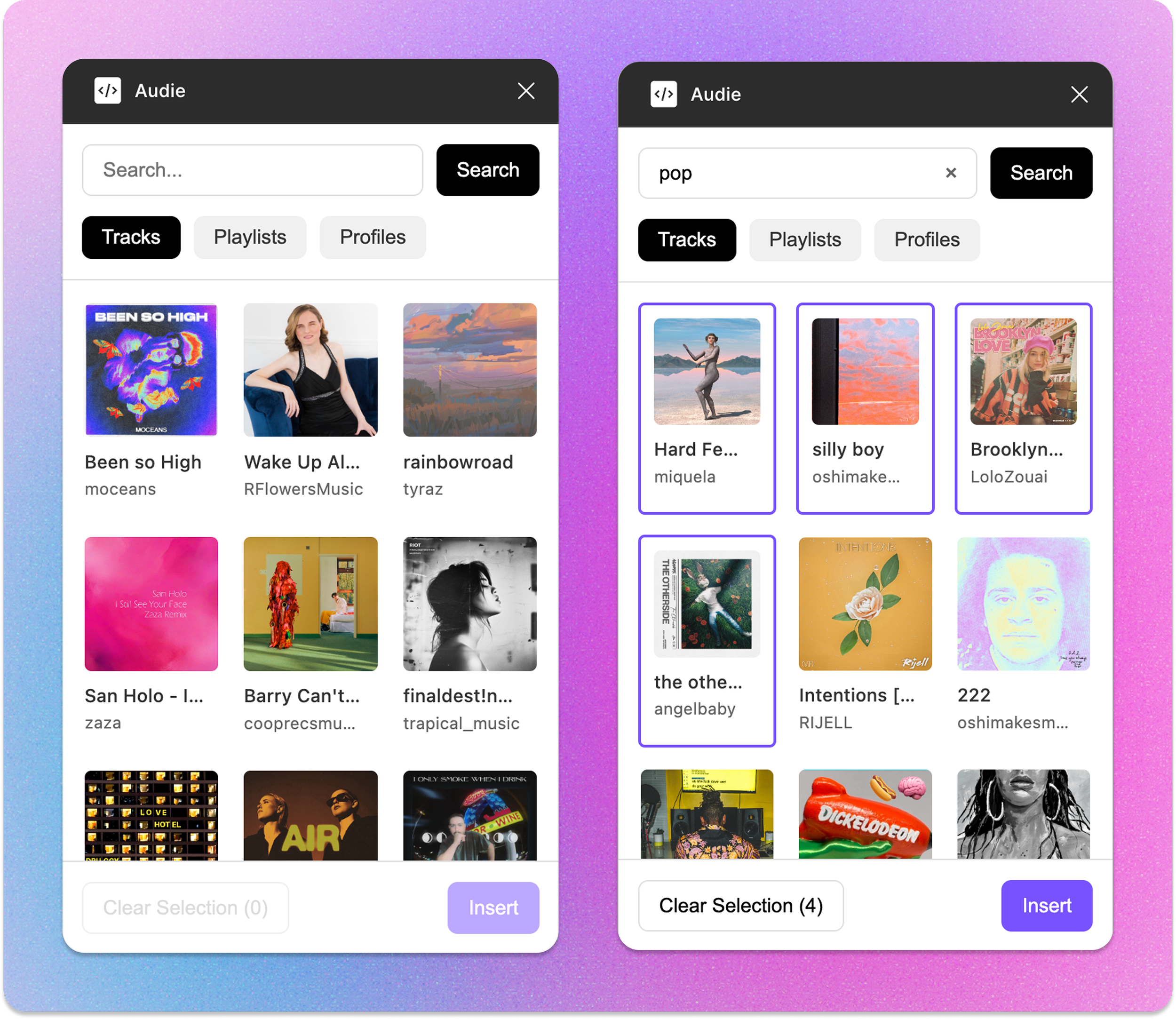
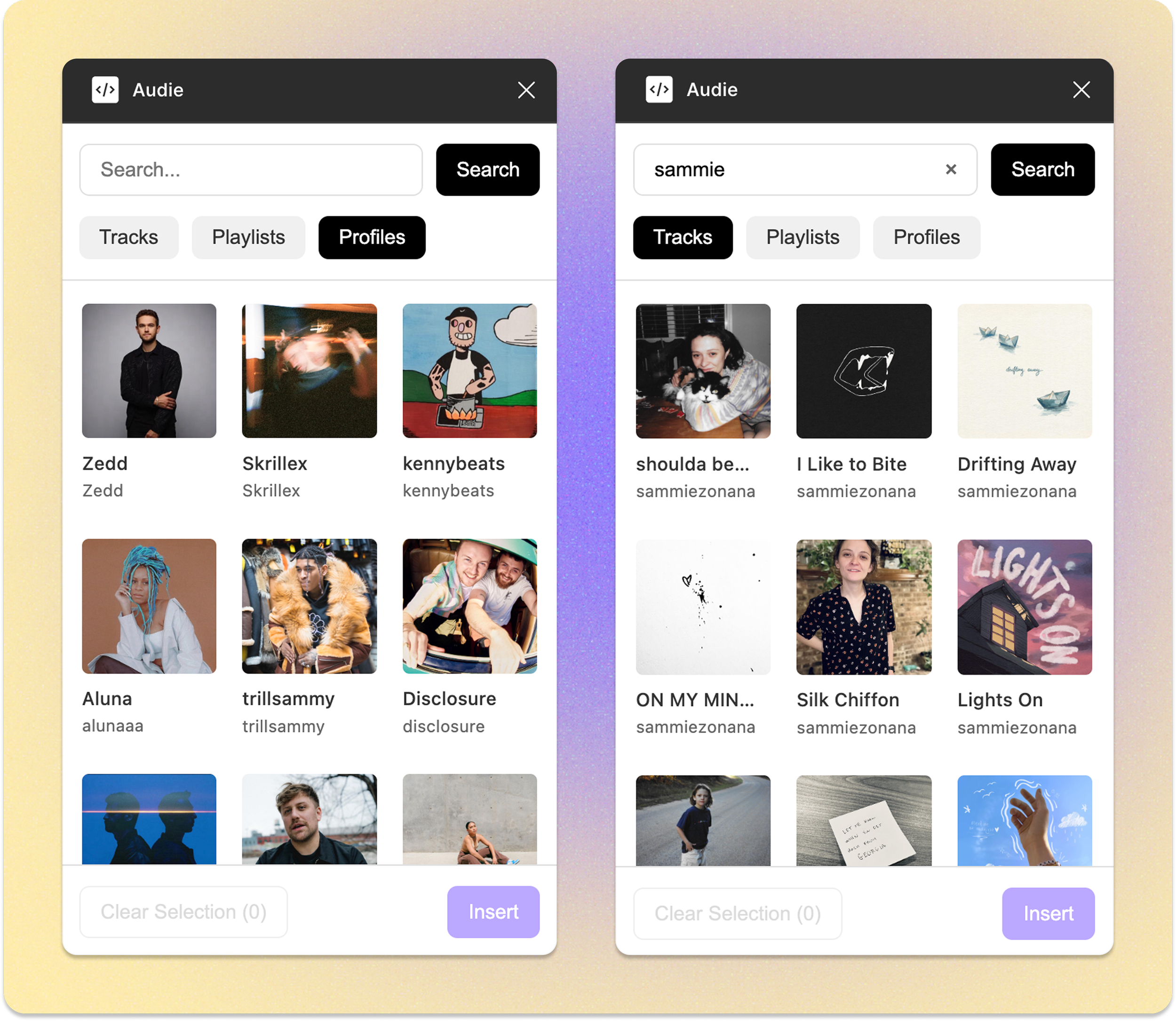
The auto-refreshing feed of Trending Content ensures that I always have access to the latest tracks, playlists, and top artists without manual updates.
With Optional Search, I can quickly find specific artists, tracks, or playlists, giving me precise control over the content I need.
The Search by Genre feature allows me to easily filter tracks within specific Audius genres using a simple string query, enhancing content discovery.
Bulk Selection feature supports easy visual tracking of multiple frames, making it simple to select and manage several items at once.
Batch Application lets me apply selected artwork to multiple frames with just one click, significantly speeding up my process.

https://github.com/szonana/Audie